
Want a sneak peek? Our Roku app is pending final certification, but you can be one of the very first to try it out!
(more…)Author: Pevac Devops
-
Pevac Roku Apps Achieves Elite CASA Tier 3 Certification For Three Consecutive Years
In the rapidly evolving world of streaming apps, user data privacy and platform security have shifted from “nice-to-have” features to critical market differentiators. As smart TVs become central hubs for both entertainment and personal data, streaming applications face unprecedented security scrutiny.Today, we are proud to announce a monumental milestone in our commitment to user trust: Pevac Video Player has officially passed the App Defense Alliance (ADA) Cloud Application Security Assessment (CASA) Tier 3 validation.This elite, lab-verified achievement places Pevac Roku apps for Google Drive among an exclusive class of applications engineered to meet the highest recognized benchmarks for cloud and application security.
(more…) -
Why Some Videos Play Upside Down on Newer Roku Models
We recently investigated a curious case involving Insta360 cameras mounted upside down. While the footage looks great on some devices, it appears inverted on newer Roku models.
Since this likely affects more than just one user, we’ve put together this guide to explain why this happens and how to fix it. To be clear: this isn’t a bug in the Pevac player, but rather a discrepancy in how different Roku models handle video orientation.
(more…) -
Pevac Video Roku Apps Latest Updates
We’re excited to announce a fresh update for Pevac Video for Google Drive, Pevac Video for Dropbox and Discrete Pevac Video Drive is rolling out now! Our team has been hard at work behind the scenes to deliver a smoother, more reliable experience for everyone.
(more…) -
Roku App for Google Drive and Dropbox vs Casting vs Mirroring
For viewing Google Drive and Dropbox video files on your Roku, the Roku App itself offer direct integration with cloud services, providing the most seamless experience by allowing you to access and view files directly on the Roku device without needing your phone. While some believe casting is the best method, allowing you to stream specific content from your mobile device’s apps without interrupting your phone’s use. In fact users have less control over playback on the receiving device. Screen mirroring sends your entire phone screen to the TV, which can be disruptive.
(more…) -
Stream Your Sea: Real-Time Boat Data on Your Roku
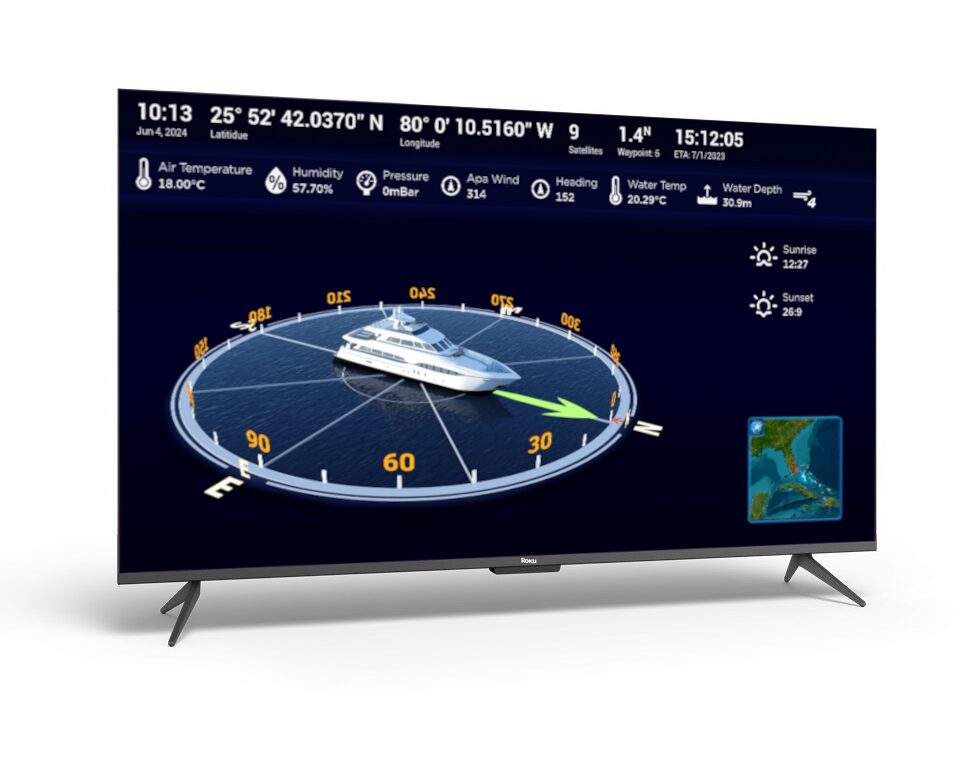
Use Navigator, a Roku app to display your boat’s data on a Roku you’ll need a way to bridge the gap between two very different systems: NMEA and your Wi-Fi network. NMEA is the standard language for marine electronics, allowing devices like GPS units, depth finders, and engine sensors to talk to each other. The Roku, meanwhile, is designed to stream video and apps.
(more…) -
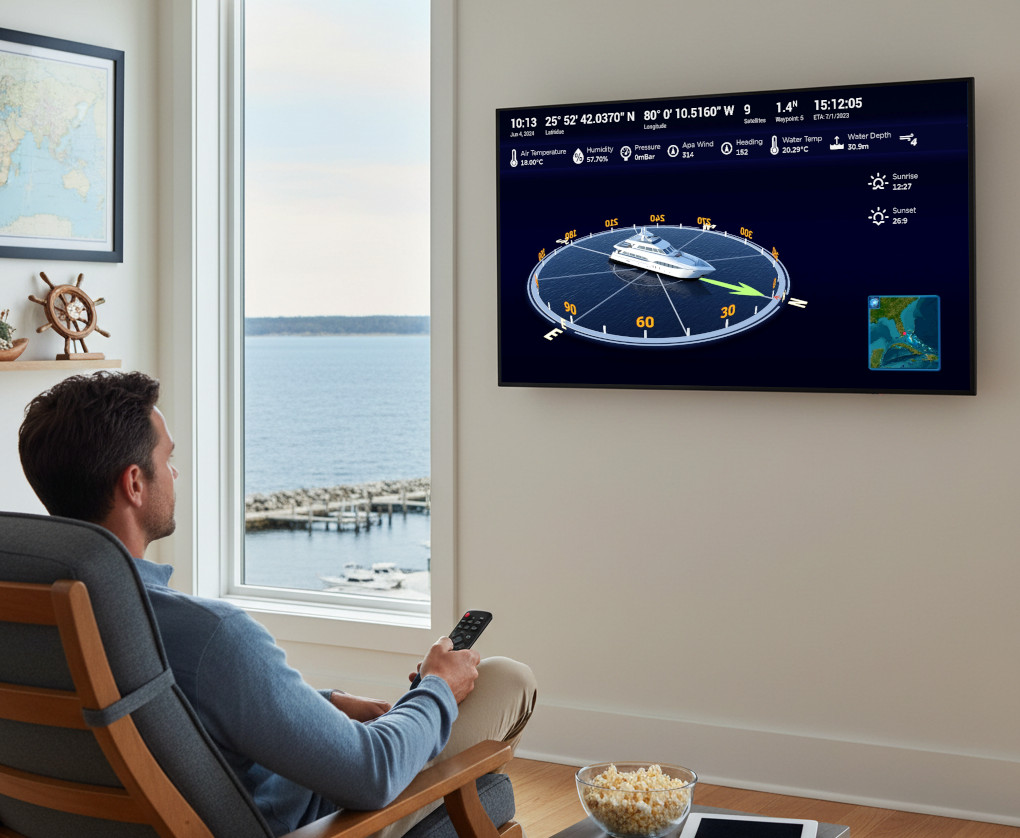
Remote Boat Monitoring
SmartMyBoat Navigator enables remote monitoring of your vessel via the Roku app.
Requires port forwarding on your vessel’s NMEA network gateway for external access.
(more…)