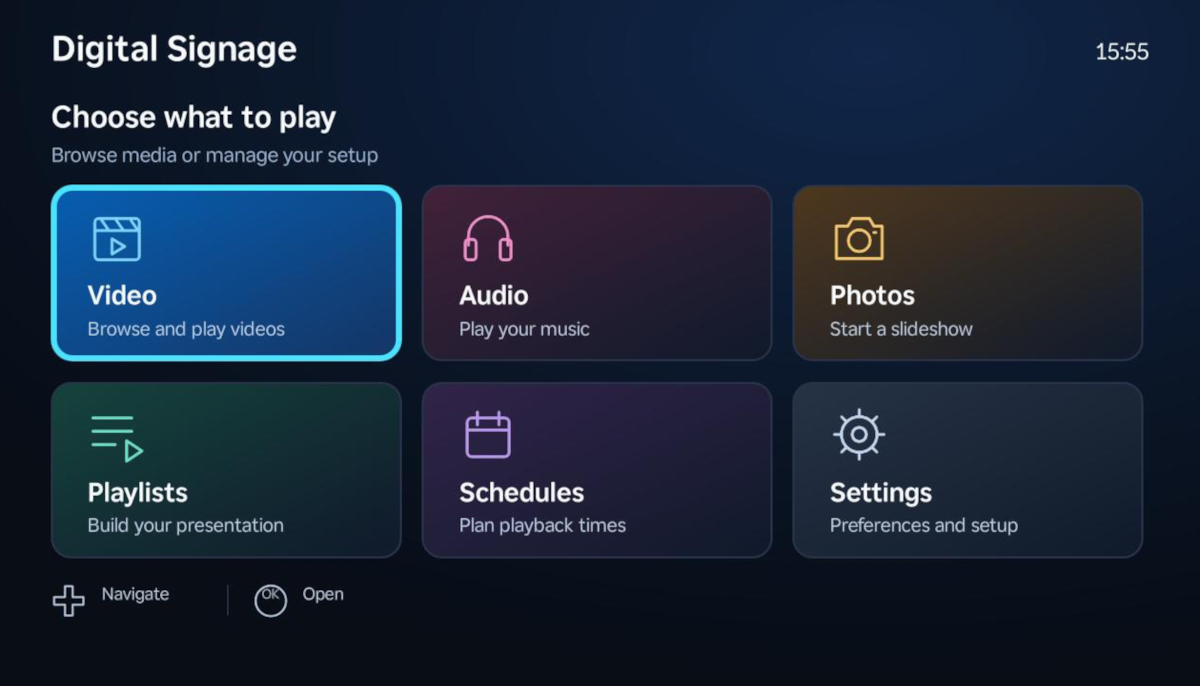
A new app called Pevac Digital Signage is turning everyday Roku televisions and Roku players into affordable, cloud-connected digital signage displays for businesses of all sizes.
Designed for restaurants, retailers, schools, and offices, the app lets you serve menus, promotions, announcements, background music, and other screen content on any compatible Roku TV or Roku player connected to an HDMI display
Why It Matters
Most digital signage systems require dedicated players, proprietary hardware, and IT-level setup. Pevac flips that model on its head: if you already own Roku hardware, you can repurpose it as a signage display by simply installing the app, linking your media source, and curating playlists.
Content Sources – Google Drive & USB
Pevac Digital Signage supports two flexible content pipelines:
Google Drive – Place your supported photos, videos, and audio files in a folder named PevacDigitalSignage. The app browses your folders and files directly, so you can swap out content without touching the TV. Google Drive playback requires an internet connection
USB Storage – For Roku hardware with a compatible USB port, you can plug in a flash drive and play files locally. An internet connection is still needed for account setup and subscription checks, but USB playback reduces reliance on network streaming
Playlists, Scheduling & Display Controls
The app puts playback scheduling in the hands of the operator — no separate CMS required:
Custom playlists – Combine videos and photos in any order
Image timers – Set how long each photo stays on screen
Background music – Audio playlists play behind photo slideshows and automatically pause during video playback
Fit & Fill – Choose “Fit” to preserve the full image or “Fill” to crop it to screen coverage without stretching
Weekly scheduling – Assign playlists to specific days and time slots using the Roku device’s local clock
Startup playlist – Configure content that auto-plays after a short countdown when the app launches
Scheduled playback takes priority where configured, making it easy to automate daily routines – for example, running breakfast menus in the morning and lunch specials at noon.
Multi-Device & Multi-Language Support
Subscription tiers include a device allowance so teams can scale across multiple locations. Export and import tools let you transfer playlists, schedules, and settings between registered Roku devices — a manual but practical way to replicate configurations without needing a live cloud dashboard
The app respects Roku’s system language and supports:
- English
- German
- Canadian French
- Spanish
- Brazilian Portuguese
Pricing & Getting Started
- 30-day free trial on eligible accounts
- Plans start at $4.99 per month for one device
- Subscription managed through Roku Pay
Available on Roku devices with a compatible HDMI input or built-in Roku TV.
To set up install the app from the Roku Channel Store, verify your account, choose a subscription, then connect Google Drive or plug in a USB drive with your content.
Pevac Digital Signage brings the simplicity of consumer streaming hardware to the business display market. If you need rotating menus, promotional content, or lobby announcements on a budget — and you already have Roku devices — this app could be the fastest, cheapest way to get screens up and running.